HAC-HDBW1500E-0280B-S2 • Dahua

| Content | |
| Video | |
| Image Sensor Type | Progressive scan CMOS |
|---|---|
| Image Sensor Size | 1/2.7" |
| Minimum Illumination (Color) | 0.005 lux |
| Minimum Illumination (B/W) | 0 lux (IR LED) |
| Low Light Technology | Starlight |
| Color Technology | N/A |
| Video Output | AHD, HDCVI, HD-TVI, CVBS |
| Maximum Resolution | 5 MP / 2880 x 1620 |
| Maximum Framerate AHD | 25 fps / 4 MP |
| Maximum Framerate HDCVI | 25 fps / 5 MP |
| Maximum Framerate HD-TVI | 25 fps / 4 MP |
| Maximum Framerate CVBS | 25 fps / 960H |
| Maximum Framerate HD-SDI | N/A |
| Lens | |
| Lens Type | Fixed lens |
| Focal Length | 2.8 mm |
| Zoom Ratio | N/A |
| Field of View (H) | 111° |
| Iris Control | Fixed iris |
| Pan / Tilt / Rotate | |
| Pan / Tilt / Rotate Range | 0° ~ 355° / 0° ~ 65° / 0° ~ 355° |
| Operational | |
| Illumination | Smart IR LED |
| Viewable Length | 30 m |
| Color Mode | True day / night ICR |
| Backlight Compensation | Digital WDR, HLC, BLC |
| WDR (Wide Dynamic Range) | N/A |
| Digital Noise Reduction | 2D DNR |
| Digital Image Stabilization | N/A |
| Defog | N/A |
| Motion Detection | Yes |
| Privacy Masking | Yes |
| Control Interface | N/A |
| Video Connector | BNC |
| Video Test Output | N/A |
| Analytics | |
| Intelligent Video Analytics | Motion detection |
| Alarm | |
| Alarm Input | N/A |
| Alarm Output | N/A |
| PIR Sensor | N/A |
| Light Warning | N/A |
| Audio | |
| Audio Input | N/A |
| Audio Output | N/A |
| Built-in Microphone | N/A |
| Built-in Speaker | N/A |
| Environmental | |
| Operating Temperature | -40°C ~ 60°C |
| Humidity | < 95% |
| Ingress Protection | IP67 |
| Vandal Resistance | IK10 |
| Electrical | |
| Input Voltage | 12 V DC |
| Power Consumption | 3.5 W |
| Mechanical | |
| Dimensions | Ø 109.9 x 81.0 mm |
| Net Weight | 0.31 |
| Casing material | Metal |
| Casing Color | White |
| Certification | |
| Certificates | CE |
| Package | |
| Package Contents | User manual |
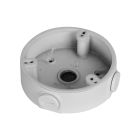
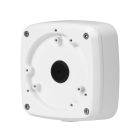
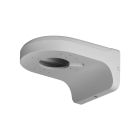
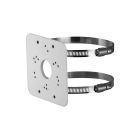
| Related Accessory | PFA136, PFA123, PFB203W, PFA152-E, PFA106, PFB220C |
| Link to Manufacturer | www.dahuasecurity.com |
| Notes | N/A |
| mageworx-dynamic-options | |
Firmware download:
You can find the current firmware on the official website of the manufacturer www.dahuasecurity.com.
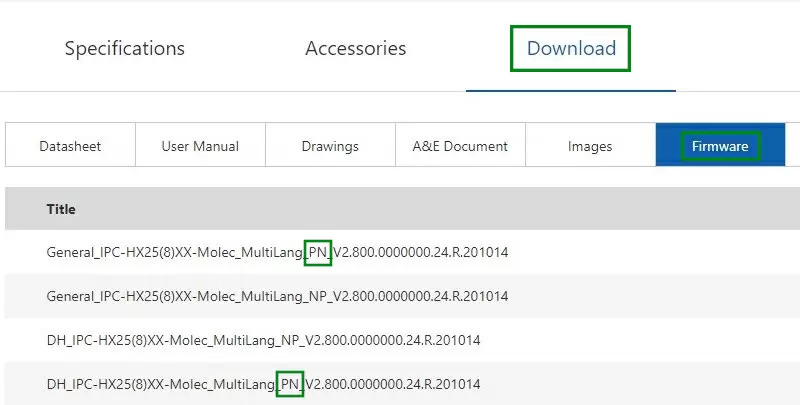
In the upper right corner of the search section, you need to enter the name of the camera and find the exact model. Then look for the Firmware tab. Several firmware may be listed for each product. If they have the same name and differ only in the letters PN or NP, choose firmware with the PAL standard, and therefore PN.
If you do not want to upgrade the firmware yourself, please contact our technical support: technika@gemtech.eu
Or call the phone number: 052 7897891.
Popular tools:
ConfigTool
ConfigTool 5.1 integrates ConfigTool Batch Mode, ACS Config, VDP Config, ARC Config. lt supports Dahua devices'information check device initalization, single/batch lP modification, parameter configuration, password reset, firmware upgrade, device reset, time calibration, CGl.
Update time:2023-06-25 13:44:25
Version:V5.1.2
SmartPSS Lite
The SmartPSS Lite Client Software is designed to configure and manage Dahua devices such as IP cameras, recorders (NVRs, XVRs), access control devices (ASIs, ASCs, ASRs), attendance management devices (ASAs), and video intercom devices (VTOs, VTHs, VTSs).
Update time:04.02.2024
Version:V1.3.5
If you need more help, please contact our technical support: support@gemtech.eu
Or call the phone number: 00421 52 7897891.